|
|
mgPrep & mgTree
 What are "mgPrep" &
"mgTree"?
Input/Output files and
Usage:
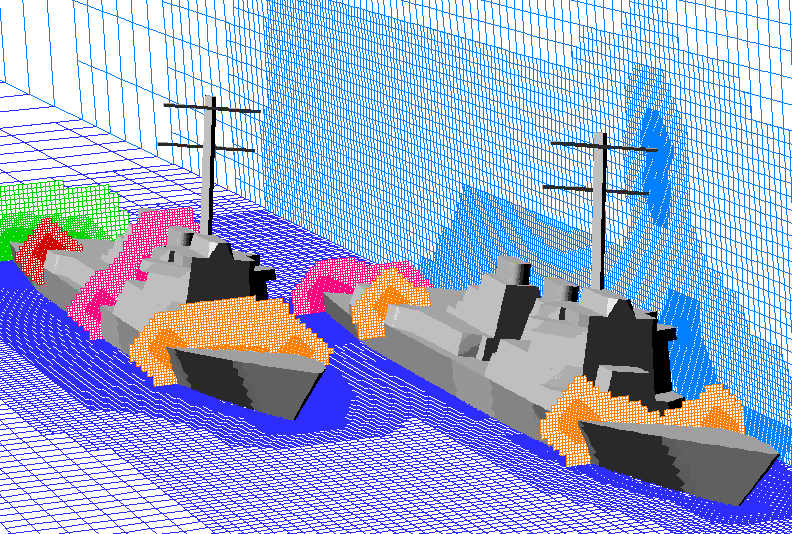
An example of coarse mesh
generation with
"mgPrep":
Partitioning
and coarse meshes:
 Further
Documentation:
What are "mgPrep" and
"mgTree"?
To use flowCart's
multigrid convergence acceleration, you need to
generate a series of coarse meshes in addition to the
fine mesh upon which you actually want to see the
final solution. mgPrep is the mesh coarsening
module which creates these coarse grids from an
initial input grid.
mgTree is a
special version of mgPrep that uses a tree-based mesh
decomposition and coarsening strategy, it is
essentially a drop-in replacement for mgPrep that we
use in 2D. See the NACA 0012, or either of the two
unsteady samples that are included in $CART3D/cases/samples/
or the example in $CART3D/cases/samples_adapt/naca0012
Input/Output files
and Usage:
mgPrep takes
reordered meshes (from reorder) usually named
Mesh.R.c3d and produces hierarchies of meshes
(usually named Mesh.mg.c3d). The ordering of
the input meshes is preserved and is propagated to
coarser meshes in the hierarchy. So if you pass it a
mesh that you reordered with Peano-Hilbert, all the
coarse meshes will be ordered by Peano-Hilbert too.
Here is the full usage
statement:
% mgPrep
-
Usage: mgPrep [ argument list
]
Options:
-n
%d
Number of MultiGrid levels to prepare (n >=
2)
-i
%s
Input file name,
default:<Mesh.R.c3d>
-o
%s
Output file name,
default:<Mesh.mg.c3d>
-sfc %c
sfc init mesh order, H=peano-hilbert (default),
M=morton
-v
verbose mode ON
-separate dumps
coarser meshes in separate files
-pmg
Write the finest mesh twice
-no_stats Suppress
printing of coarsening statistics
-verifyInput Verify the input mesh
before coarsening
-Xcut %d Num of
X=const cut planes <mgPlanes.dat>
-Ycut %d Num of
Y=const cut planes <mgPlanes.dat>
-Zcut %d Num of
Z=const cut planes <mgPlanes.dat>
-Dcut
Dump tecplottable file
<cutcells.dat>
-mesh2d
Not
recommended,
use "% mgTree
-mesh2d "
instead
(see
$CART3D/cases/samples/naca0012/HOWTO.html)
|
top
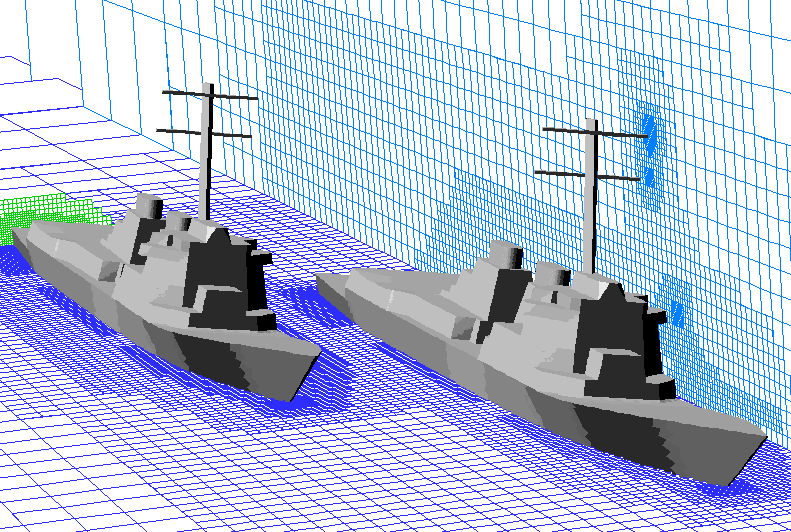
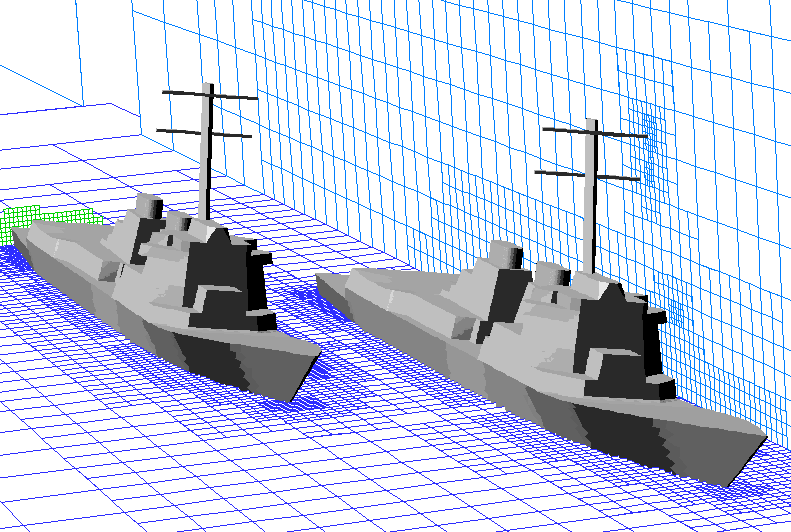
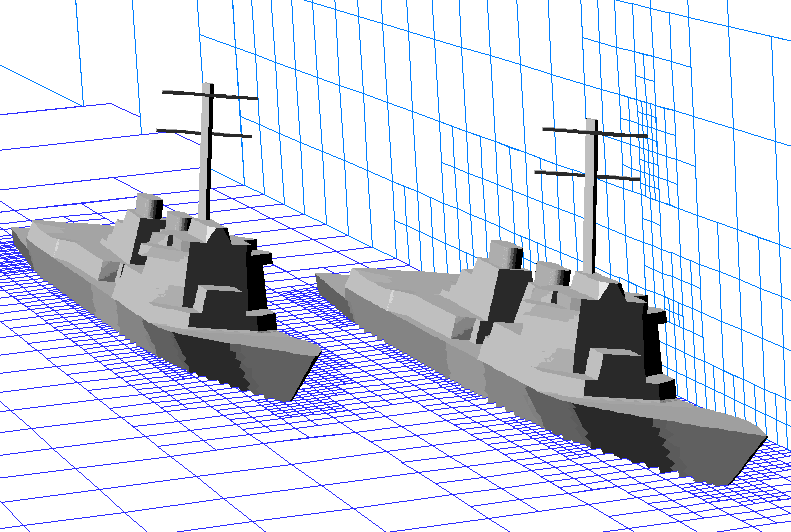
An
example of coarse mesh generation with
"mgPrep":
the
command line:
%
mgPrep -n 5 -i
Mesh.R.c3d
will
produce a sequence of 5 meshes from the original
input Mesh.R.c3d that look something like this
(click on any image for an enlargement). This
hierarchy of meshes will get stored in a file called
Mesh.mg.c3d by default, and is ready to be
read into cubes.
|
Input mesh
|
1st coarse mesh
|
2nd coarse mesh
|
3rd coarse mesh
|
4th coarse mesh
|

|

|

|

|

|
4500000 cells
Coarsening Ratio:
|
630000 cells
7.1:1
|
97000 cells
6.5:1
|
19000 cells
5.1:1
|
4500 cells
4.2:1
|
Note:
The output Mesh hierarchy in
this case can be used to run anywhere from single
mesh (%
flowCart - mg 1) to 5 levels of
multigrid (%
flowCart -mg 5) or grid sequencing - you
dont need to decide how many of levels of multigrid
to use until runtime.
Also note that once you
have the coarse mesh stack, the fine mesh is the
first one stored in Mesh.mg.c3d,
so once you have that, you're free to delete
Mesh.R.c3d.
% \rm
Mesh.R.c3d
top
Partitioning and
coarse meshes:
As a
happy consequence of some of the mathematical
properties of the SFC partitioner, coarse grids
will get partitioned in a manner similar to the way
that their fine mesh got partitioned. This helps to
reduce the amount of communication between subdomains
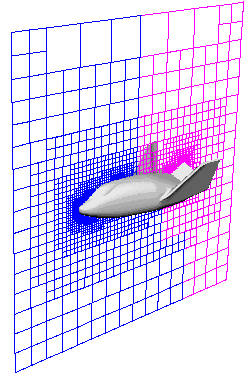
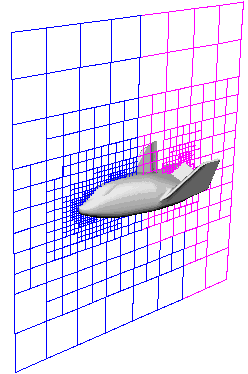
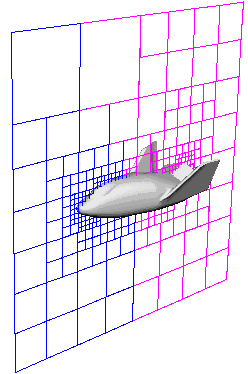
in multi-processor runs. Here is an example showing
the partitioning of a mesh hierarchy around an X-38
for a run on 2 processors. Note that the meshes in
the blue and pink partitions remain nicely overlapped
to reduce the amount of communication with
other processors durring multigrid prolongation and
restriction.
|
Input mesh |
1st coarse mesh |
2nd coarse mesh |
 |
 |
 |
|